Merca Portal

Designing an Online Refund and Transaction Reconciliation Flow for a Merca Portal

A conceptual redesign inspired by real-world fintech operations.

background.

Merca Portal is a web platform that helps merchants search, track, and manage transactions within the MercaPay ecosystem, including online payments via the Payment Gateway and in-store payments via POS. The platform also provides consolidated views across multiple payment methods such as Installment Payment, Recurring Payment, MyGift Digital Gift, Bill Payment, QR Payment, and e-Invoice.

This case study focuses on the refund flow in scenarios where the merchant's operating account balance is insufficient to process a refund transaction.

Problem.

When a merchant requests a refund on the Merca Portal, the system checks the operational account (OA) balance. If the balance is not enough, a general error is shown and the refund flow stops, making merchants confused and increasing support time and costs.

Goal.

The goal of the solution is to help merchants understand why the refund fails, provide clear guidance so they can add funds to the operational account (OA), allow them to continue the refund after the issue is resolved, and reduce the number of support requests related to failed refunds.

My role.

UX/UI designer

Contribution.

  • UX Research
  • UI/Visual Design
  • Design System
  • Prototyping

Design process.

Based on real merchant requirements and common operational scenarios.

Planning

Define ProblemsFind Solutions

UX Design

WireframeUser Flow

UI & Interaction

Visual DesignMicro-Interactions

Prototype Testing

PrototypeUser Testing

user research.

As this is a B2B fintech product and direct access to merchants was limited, the research was conducted through:

  • Analysis of error logs and failed refund cases
  • Consolidation of feedback from the operations and customer support teams
  • Review of support tickets related to refunds
  • Heuristic review of the existing refund flow

-> Based on these inputs, recurring issues and key bottlenecks in the user experience were identified.

Pain points.

1

Lack of clarity

Merchants do not know why a refund request fails (whether due to insufficient sales balance or missing transaction fees).

2

Process interruption.

To top up funds, merchants must leave the system, find Merca's designated bank account, make a transfer, then return to locate the previous transaction and restart the refund process.

3

Time pressure.

Customers push for quick refunds, while the system leads merchants to a dead end.

design iteration.

I created an end-to-end refund flow to identify bottlenecks in the process. Based on this, I improved error states to guide merchants in proactively handling balance issues and continuing the refund process smoothly.

Current state.

  1. Merchant submits a refund request
  2. The system detects insufficient balance in the operating account
  3. An error message is shown -> the refund flow stops

Improved flow.

  1. Merchant submits a refund request
  2. The system detects insufficient balance in the operating account
  3. A guided message is displayed
  4. The reason the refund cannot be processed is clearly explained
  5. The account that needs to be topped up is specified
  6. Detailed transfer instructions are provided (bank details, transfer description)
  7. The merchant tops up the operating account
  8. The merchant retries the refund request and completes the transaction
  9. The design focuses on turning system errors into recoverable states.

Refund process flow.

refining design.

I finalized the design with a focus on error states and recovery flows, ensuring that merchants clearly understand why refunds fail and receive clear guidance to continue the process smoothly.

UI screens.

These are high fidelity designs that represent the final product.

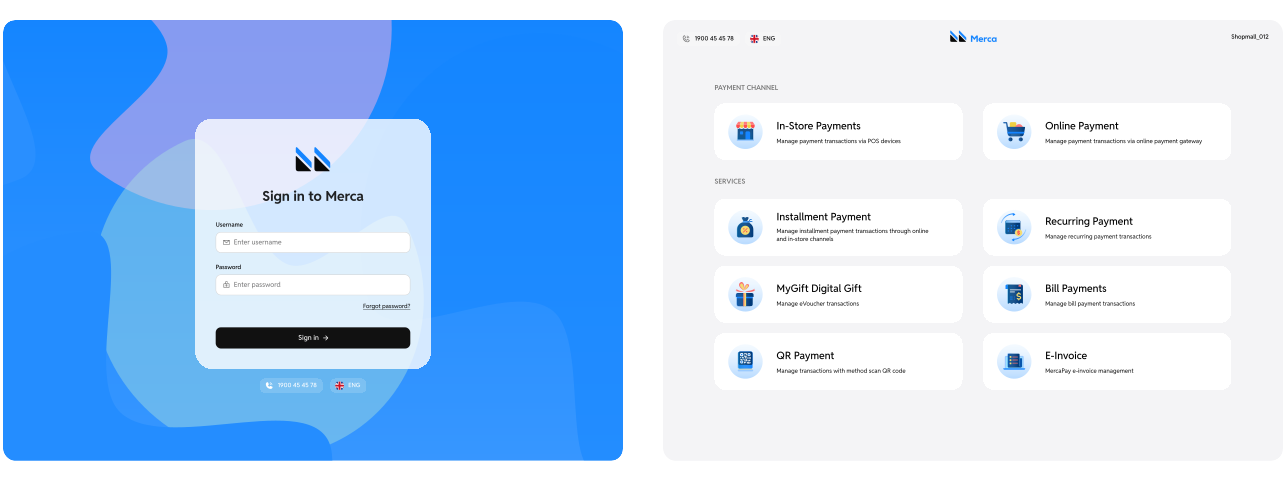
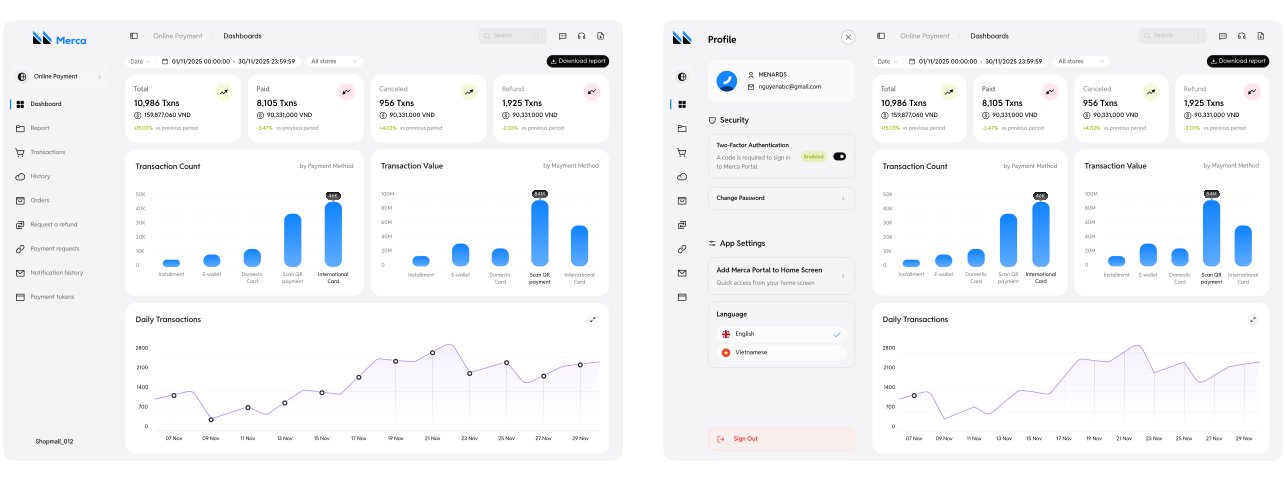
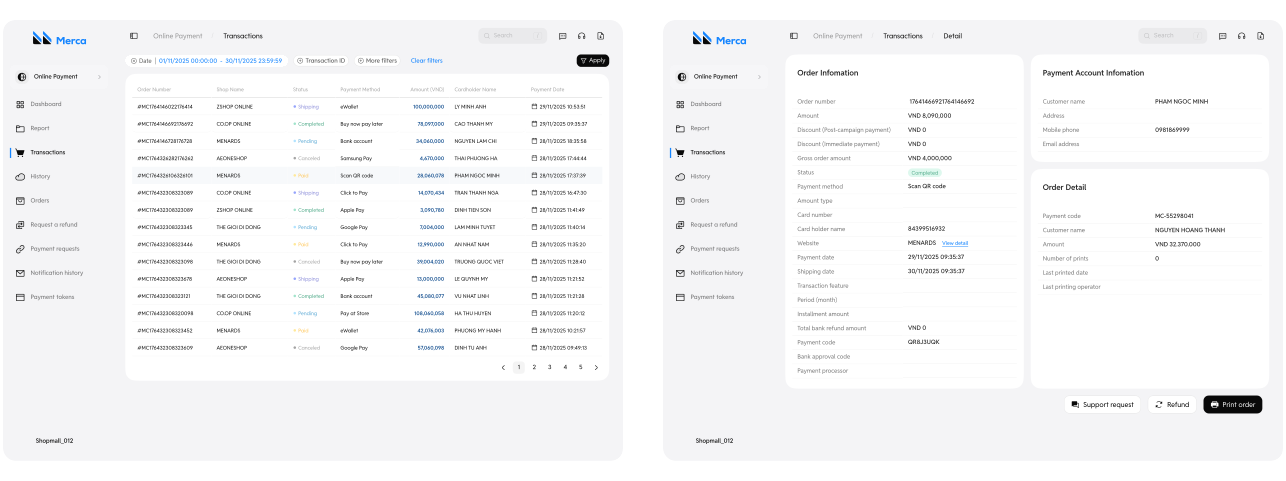
Below is the final UI of the project, where I focused on optimizing visual experience and information structure:

  • Component System: Built a consistent UI kit covering colors, typography, and icons.
  • Error States and Recovery Flows: Added clear top-up entry points and guidance.
  • Seamless Experience: Each screen was designed to clearly present Merca Portal's complex business flows.

Login | Home

Dashboard | Profile

Transactions | Detail transaction

[Modal] Request a refund

[Modal] Account Top-Up Instructions

High-fidelity prototype

I turned my mockups into a prototype that's ready for testing, using gestures and motion, which can help enrich the user experience and increase the usability of the app.

outcome.

We delivered a comprehensive B2B SaaS Dashboard that empowers 15,000+ merchants with full financial control. The redesign transformed manual, support-heavy processes (like complex refunds) into seamless self-service workflows, ensuring operational continuity and reducing friction for business owners.

Takeaways.

1

Impact.

Reduced refund failures caused by merchants not understanding the reason or how to resolve the issue. Enabled merchants to handle balance issues on their own without contacting the support team. Improved trust in the Merca Portal system for critical financial operations.

2

What I learned.

I learned that every error message is an opportunity to guide users. Instead of creating a dead end, it should become a turning point with clear direction and clear next actions.

Next steps.

1

Auto-retry refund feature.

After the system successfully records the top-up to the operating account, the pending refund will be automatically processed without requiring the merchant to resubmit the request.

2

Low balance alert.

Send notifications when the operating account balance reaches a minimum threshold, allowing merchants to proactively top up before processing refund requests.